
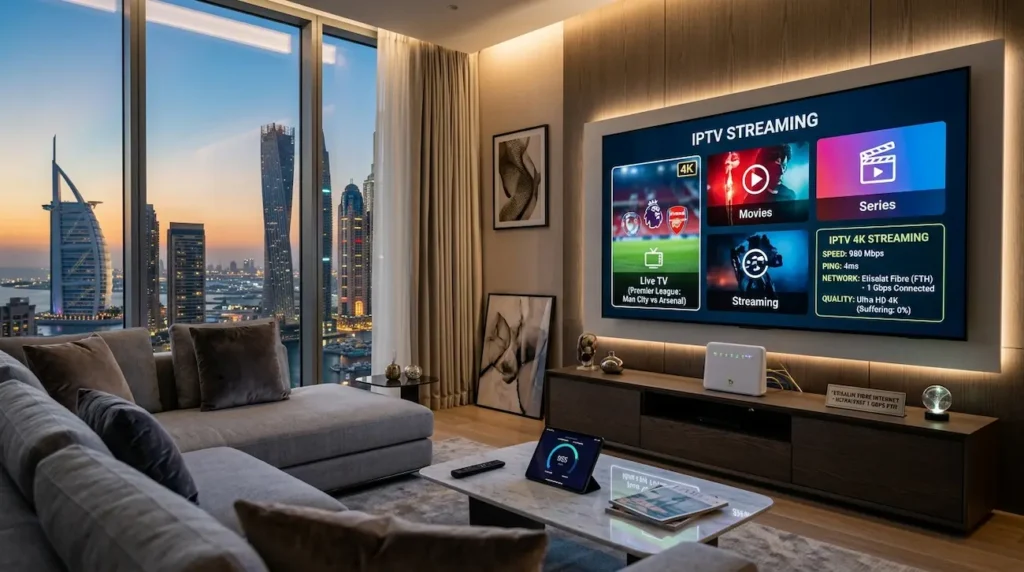
IPTV has emerged as one of the preferred methods of experiencing live TV, sports, movies and international channels in Dubai. Despite the premium IPTV provider, many subscribers still have buffering, freezing, lag and low video quality problems. In most cases it’s not the IPTV service provider that the problem is. The actual problem is the Internet speed, network stability or poor WiFi reception.
So, what’s the ideal internet speed that IPTV Dubai users need?
The answer in short is:
- SD streaming: 5 Mbps
- HD streaming: 10–15 Mbps
- Full HD 1080p: 20 Mbps
- 4K IPTV: 25–50 Mbps
- Multiple devices: 100 Mbps or more
However, it’s not just about speed. Other factors that have a massive impact on IPTV performance are stability, latency, router quality and the type of connection. This guide covers all the information Dubai users will require to know about IPTV internet speed in 2026.
The reason why Internet speed is important for IPTV
IPTV is different from standard cable TV, which has to rely on a cable connection. This means you can no longer watch that live sport, or any live channel or movie without your broadband.
Once the connection becomes unstable, IPTV issues begin to arise right away:
- Constant buffering
- Channel freezing
- Audio sync issues
- Poor picture quality
- Long loading times
- Interruptions from playback in live sports
While higher internet speeds may be advertised in the package, packet switching can impact streaming quality. As several IPTV experts and users have reported, it is not just Mbps that affect the connection, it is also the stability of the connection.
IPTV Minimum Internet Speed Requirements
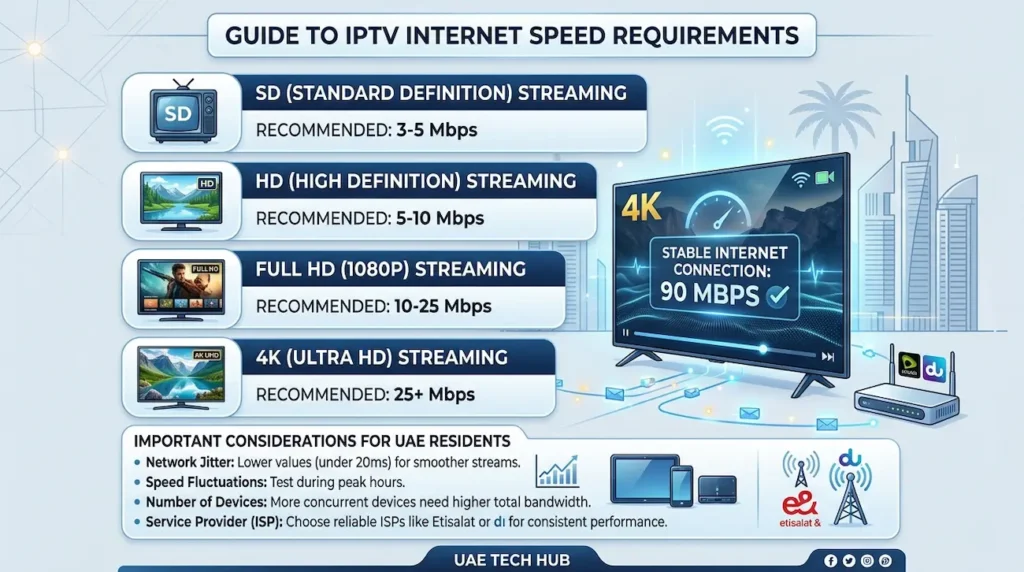
Here is an accurate estimate of the IPTV speeds that are required for an average Dubai household.
IPTV Speed Comparison Table
| Streaming Quality | Minimum Speed | Recommended Speed | Best Use Case |
|---|---|---|---|
| SD (480p) | 3–5 Mbps | 5 Mbps | Small screens & basic viewing |
| HD (720p) | 8 Mbps | 10–15 Mbps | Standard IPTV streaming |
| Full HD (1080p) | 10–15 Mbps | 20 Mbps | Sports & modern smart TVs |
| 4K Ultra HD | 25 Mbps | 40–50 Mbps | Premium IPTV & large TVs |
| Multiple Devices | 50 Mbps | 100–200 Mbps | Families & heavy streaming |
The industry has always suggested that the minimum bandwidth requirement for 4k IPTV streaming is 25 Mbps.
What is the best internet speed for IPTV Dubai Homes?
For the majority of homes in Dubai, everyone wants:
- 50 Mbps (2 user max)
- Widely connected 100 Mbps for multiple users
- Up to 250 Mbps+ to stream and play with heavy content like 4K
Dubai’s fibre internet facilities are among the finest in the area. e& and du are providers that provide high speed fibre packages which can easily deal with IPTV. Nevertheless, the majority of the IPTV problems in UAE are due to:
- Poor router placement
- Weak WiFi signals
- Heavy load on ISP in peak hours
- Cheap Android boxes
- Overloaded IPTV servers
Not just slow Internet.
Recommended IPTV Speeds Based on Usage
Single User IPTV Setup
In the event that a single person streams IPTV once in a while:
- HD streaming: 15–20 Mbps
- 4K streaming: 30 Mbps
This is typically sufficient for apartments or small houses.
Family IPTV Streaming
When multiple people use the Internet at the same time for:
- YouTube
- Netflix
- Gaming
- Video calls
- IPTV
When 100 Mbps or higher comes into play. The number of devices connected to modern UAE homes is 10-20. Even the smart devices in your home can use bandwidth in the background.
Sports Streaming and Live IPTV
Live sports need additional stability as the IPTV stream cannot buffer much ahead of the game, such as the way Netflix does. To watch Premier League, UFC, Formula 1 or cricket:
- If possible, use Ethernet
- Maintain low ping
- Don’t use crowded WiFi channels
- You need to make sure that you have a stable connection with a minimum speed of 25 Mbps
Several people on Reddit report that IPTV buffering for sports isn’t necessarily the Internet’s fault, but rather due to poor routing or provider congestion.
WiFi vs Ethernet for IPTV
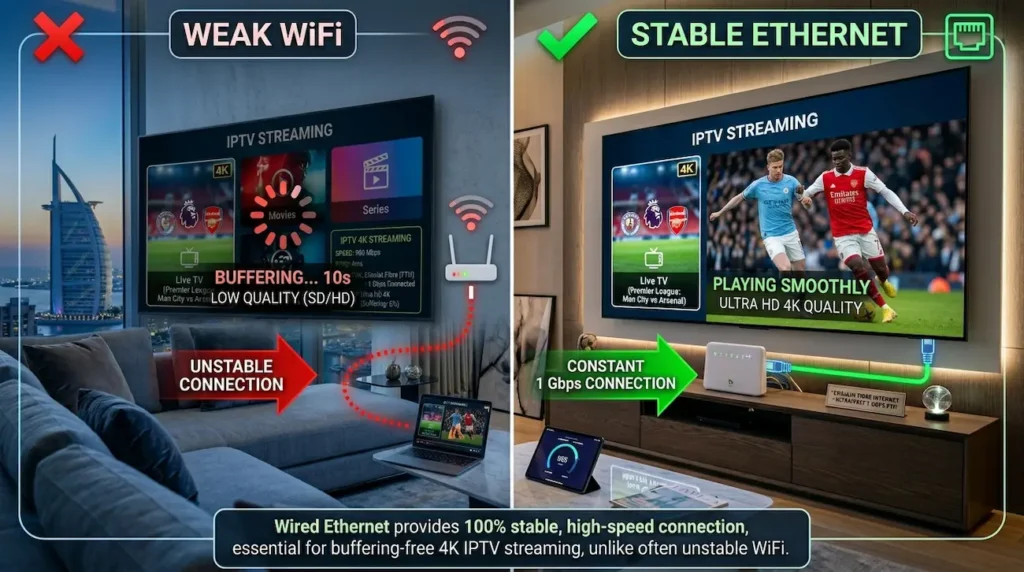
Ethernet is Always Better
With a wired Ethernet connection you can get:
- Lower latency
- Stable speeds
- Fewer interruptions
- Better 4K playback
- Faster channel switching
According to several guides to testing IPTV, Ethernet is much more stable than WiFi for IPTV streaming, and Ethernet saved the day in this case.
If possible, connect:
- IPTV box
- Firestick
- Android TV box
- Smart TV
Sends the info straight to the router.
When WiFi Is Good Enough
WiFi works fine if:
- You use 5GHz WiFi
- You have a modern router
- Signal strength is strong
- You are close to the router
Don’t use outdated wireless technology with older routers because they can buffer even with a fast internet package.
Best Internet Type for IPTV in Dubai
Fibre Internet
There are several reasons why fibre internet is the best choice for IPTV:
- Low latency
- Stable speeds
- High bandwidth
- Better peak-hour performance
Most Dubai fibre connections easily support 4K IPTV streaming.
5G Home Internet
Newer areas in Dubai will benefit from 5G internet for IPTV. But, the performance is greatly dependent upon:
- Signal strength
- Network congestion
- Peak-hour traffic
Good 5G is faster than old DSL connections.
DSL Connections
For HD IPTV, DSL is okay, but may have trouble with:
- 4K streaming
- Multiple devices
- Peak-hour congestion
Satellite Internet
For IPTV, satellite internet is typically poor due to high latency, which is not suitable for live streaming.
Why IPTV Buffers Even With Fast Internet
One of the largest confusions among the IPTV users is this.
Internet speeds of up to 500 Mbps can still cause a user to freeze.
Why?
IPTV is influenced by a number of issues:
1. IPTV Server Quality
Low-cost IPTV providers tend to overload the servers. This causes:
- Lag
- Delayed channel switching
- Random freezing
particularly at sporting events.
2. ISP Traffic Shaping
Certain Internet Service Providers (ISPs) may slow down streaming data during their busy periods. The majority of IPTV users are finding their service to be smoother after utilizing a VPN.
3. Weak Router
An outdated router can be a bottleneck for you.
For example:
- Your Internet Service Provider provides 250 Mbps
- Windows PC’s can only utilize 100 Mbps effectively
Result:
Poor IPTV performance.
4. Bad WiFi Placement
Walls, furniture and distance have a significant impact on the quality of the WiFi. With fast internet speeds still, if the signal is weak, it results in buffering.
5. Too Many Connected Devices
Bandwidth is used for a variety of uses, including phones, tablets, downloads, cloud backup and gaming. IPTV requires a solid data transfer that is continuous.
If buffering problems continue even after upgrading your internet speed, check our detailed guide on How to Fix IPTV Buffering in Dubai for advanced troubleshooting solutions.
Best Router Setup for IPTV in UAE
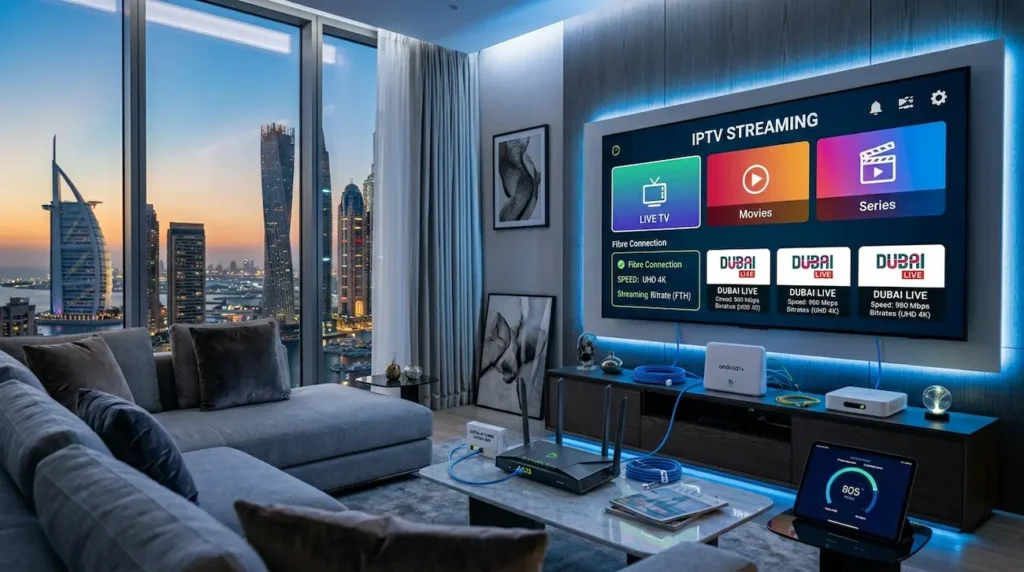
To get the optimum IPTV experience in Dubai:
Recommended Setup
- Fibre internet
- Dual-band WiFi router
- 5GHz network
- Ethernet for IPTV devices
- Modern streaming device
- QoS is used for the router settings
QoS (Quality of Service) is a priority to handle IPTV traffic and minimizes buffering.
Ideal latency and ping to IPTV streams
Best ping and latencies to IPTV streams
While speed is important, ping matters too.
For IPTV:
- Under 20 ms = Excellent
- Under 40 ms = Good
- If you have a lag time of more than 80 ms, it can cause a lag
Low latency is crucial for:
- Live sports
- IPTV channel switching
- 4K live streaming
How to Test Your IPTV Internet Speed
Before blaming your IPTV provider, test your connection properly.
Best Practices
- Test at the busiest time of day, usually in the evening
- Test using the same device that you use for IPTV
- Look for WiFi and Ethernet
- Run multiple tests
Unfortunately many users find that their Smart TV has much slower speeds than their Smartphone due to weak WiFi reception.
Each device is recommended to have a specific IPTV speed
| Device | Recommended Speed |
|---|---|
| Firestick | 20–30 Mbps |
| Smart TV | 25 Mbps |
| Android TV Box | 25–50 Mbps |
| Mobile Phone | 10 Mbps |
| Tablet | 10–15 Mbps |
| 4K Smart TV | 50 Mbps |
Is 100 Mbps Enough for IPTV in Dubai?
Yes.
For majority of the homes in Dubai, 100 Mbps is sufficient for:
- Multiple HD streams
- 4K IPTV
- Gaming
- Netflix
- Video calls
Typically, even if two or more IPTV streams are running simultaneously at this speed will work fine.
Is Gbps Internet a must for IPTV?
No. Gigabit internet is great, but not necessary for most IPTV users. According to many experts and IPTV users, it is concluded that:
- One of the 4K streams can run at 25 Mbps
- A 100 Mbps internet connection is capable of supporting most households very well
Anything on top of that is primarily for super large households, or for users who download a lot.
How to Reduce IPTV Buffering in Dubai
Quick Fix Checklist
Consider connecting via Ethernet rather than WiFi
When switching to wired internet, the majority of buffering goes away instantly.
Restart Router Weekly
This helps prevent memory problems and maintains stability.
Upgrade Old Router
Routers with WiFi 6 technology much more effective.
Avoid Peak-Hour Downloads
If you experience big downloads, it will impact IPTV stability.
Use the Quality IPTV Apps
Apps that are not optimized freeze more frequently.
Lower Stream Resolution
If your internet connection is not stable, change to HD temporarily while it’s 4K.
EEAT: Expert IPTV streaming recommendations
Based on the performance guides of IPTV, the feedback collected from the users and the streaming conditions in the United Arab Emirates, the most reliable IPTV setup in Dubai is:
- Fibre internet connection
- 50–100 Mbps speed
- Modern dual-band router
- Ethernet connection
- Stable IPTV provider
- Low-latency network
Users’ No.1 error is trusting raw speed is the answer for buffering. In fact, the stability, routing quality, and correct home network configuration is as important.
Frequently Asked Questions
Which Internet connection is best for IPTV Dubai users?
To enjoy smooth streaming with IPTV service in Dubai:
- HD requires 10–15 Mbps
- 4K requires 25–50 Mbps
- Multiple users should have 100 Mb or more
Is 25 Mbps enough for IPTV?
Yes, 25 Mbps is sufficient to provide a stable 4K IPTV stream or multiple HD streams.
Why does IPTV buffer on a high-speed internet connection?
Buffering may occur due to:
- Weak WiFi
- Poor IPTV servers
- ISP throttling
- High latency
- Cheap routers
Not only are internet speeds a factor, but so are the cables as well.
Is Ethernet better than WiFi for IPTV?
Yes. The Ethernet technology is more stable and has lower latency than the WiFi technology.
Which type of internet is best for IPTV in UAE?
Fibre internet will be the best choice due to its stable speeds and low latency.
What kind of speed does it require for several IPTV devices?
If you have multiple IPTV streams in your home, you may need 100 Mbps or more.
Conclusion
Selecting the best internet speed for IPTV Dubai users is not only about purchasing the fastest package available. A stable connection, low latency, quality router, and reliable IPTV provider all play an important role in achieving smooth streaming without buffering.
For most users in Dubai, a 50–100 Mbps fibre connection is more than enough for HD and 4K IPTV streaming. If multiple devices are connected at the same time, higher speeds can provide a more stable viewing experience.
To get the best IPTV performance in UAE, it is recommended to use Ethernet whenever possible, upgrade old routers, and avoid weak WiFi signals. Even with very high internet speeds, poor network setup can still cause freezing and lag. Overall, the ideal IPTV setup in Dubai includes:
- Stable fibre internet
- 50–100 Mbps speed
- Low latency connection
- Modern dual-band router
- Ethernet connection for streaming devices
- Reliable IPTV service provider
By optimizing both your internet connection and home network setup, you can enjoy smooth IPTV streaming for live sports, movies, and 4K entertainment without interruptions.
